
Searching for edited photos online is no longer just about convenience. It’s about speed, consistency, accuracy, and results. People who type “edit photos online” are often creators, business owners, eCommerce sellers, marketers, photographers, and everyday users who need polished images without installing heavy software or learning complex tools.
At Lumere Touch, editing photos online is treated as a professional workflow, not a gimmick. This page is written from real, hands-on experience editing thousands of images across multiple industries. It explains what it truly means to edit photos online, what works, what fails, and how to get results that actually look professional rather than “edited.”
What Does “Edit Photos Online” Really Mean Today
The phrase edit photos online “ used to imply basic actions like cropping or adding filters. That is no longer the case. Today, editing photos online includes:
Professional color correction
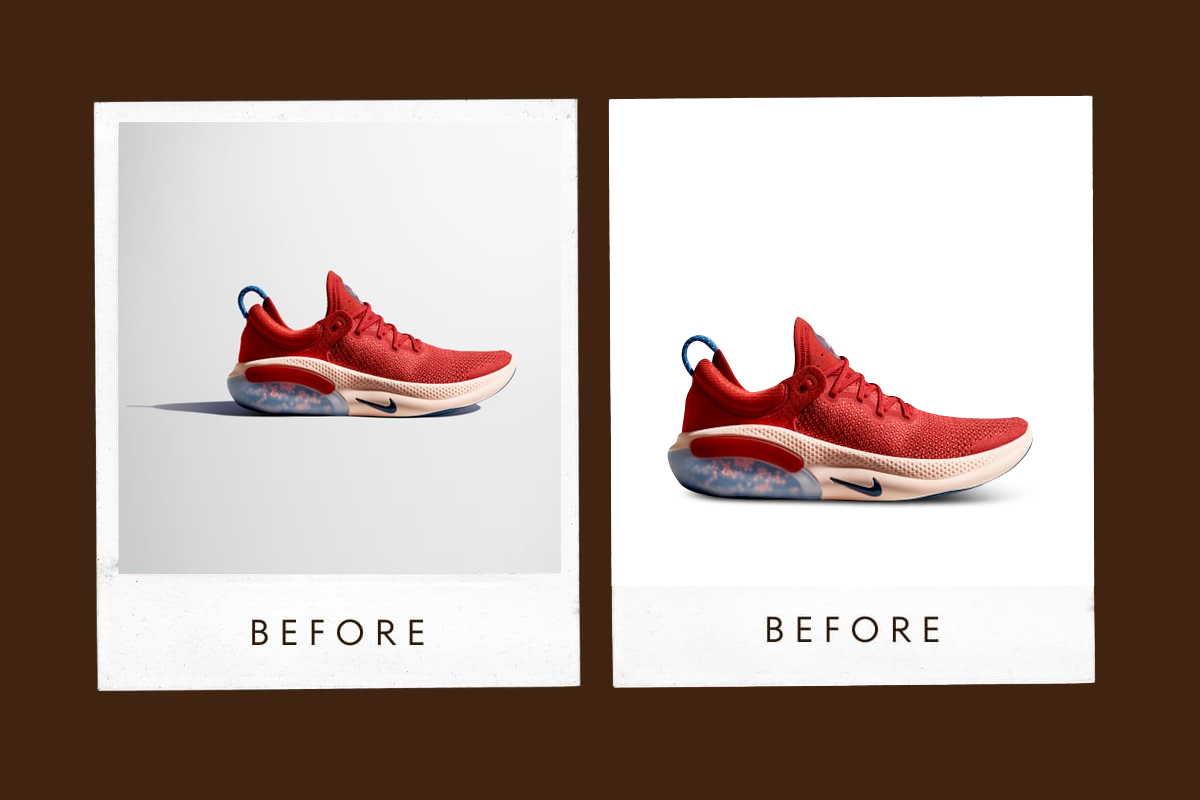
Background removal and replacement
Skin retouching
Product image enhancement
Shadow and reflection creation
Image resizing for platforms
Consistency across image sets
At Lumere Touch, online photo editing is not limited by browser-based tools. It is defined by workflow, skill, and outcome.
Why More People Choose to Edit Photos Online
The shift toward editing photos online is driven by real needs, not trends.
People want to:
Avoid installing heavy software
Work from any device
Save time
Reduce learning curves
Get consistent results quickly
For businesses, editing photos online allows teams to collaborate, outsource, and scale visual content efficiently. Lumere touch exists because these needs are real and ongoing.
Who Needs to Edit Photos Online
eCommerce Sellers
Product photos must look clean, consistent, and conversion-focused. Editing photos online allows rapid updates across catalogs.
Content Creators
Social media demands speed. Online editing supports fast turnaround without compromising quality.
Photographers
Even professionals edit photos online for bulk processing, previews, and client revisions.
Marketers
Campaign visuals need resizing, retouching, and optimization for multiple platforms.
Everyday Users
Personal photos still deserve professional polish.
At Lumere Touch, we serve all of these users through structured online editing processes.
The Difference Between Editing Photos Online and Using Filters
Filters apply a preset look. Editing photos online is about control.
True online photo editing includes:
Exposure balancing
Color temperature correction
Contrast and clarity tuning
Detail preservation
Subject isolation
Filters ignore context. Editing respects the image.
Core Editing Tasks When You Edit Photos Online
Color Correction
Balancing whites, shadows, and highlights so images look natural across screens.
Retouching
Removing blemishes, dust, wrinkles, or imperfections without damaging texture.
Background Editing
Replacing or removing backgrounds cleanly, especially for products.
Resizing and Cropping
Optimizing images for websites, ads, marketplaces, and social platforms.
Sharpening and Noise Reduction
Improving clarity while maintaining realism.
At Lumere Touch, these tasks are handled by trained editors, not automated shortcuts.
Why Automated Tools Often Fail When You Edit Photos Online
Many online tools promise “one-click perfection.” In reality, they often:
Over-smooth images
Destroy fine details
Misinterpret lighting
Create unnatural colors
Automated tools lack judgment. Editing photos online requires visual decision-making. This is where Lumere Touch focuses its expertise.
Professional Workflow for Editing Photos Online
At Lumere Touch, online photo editing follows a structured process:
Image assessment – understanding purpose and flaws
Primary correction – exposure, color, balance
Detail work – retouching, cleanup
Consistency check – matching across image sets
Export optimization – correct formats and sizes
This workflow ensures repeatable, professional results.
Edit Photos Online for eCommerce
eCommerce is one of the biggest drivers of online photo editing.
Key requirements:
White or transparent backgrounds
True-to-life colors
Uniform lighting
Platform-specific dimensions
At Lumere Touch, editing photos online for eCommerce is focused on conversion, not decoration.
Edit Photos Online for Social Media
Social media images must:
Grab attention
Look natural on mobile
Stay consistent with branding
Over-editing kills trust. Under-editing loses visibility. Lumere touch balances both.
Edit Photos Online for Personal Use
Not every image is commercial, but quality still matters. Editing photos online helps:
Improve travel photos
Restore old images
Enhance portraits
Prepare photos for printing
Professional editing isn’t only for businesses.
Common Mistakes When People Edit Photos Online
Over-sharpening
Excessive skin smoothing
Unrealistic color saturation
Ignoring shadows
Inconsistent edits across images
At Lumere Touch, avoiding these mistakes is part of training, not trial and error.
Pros & Cons of Editing Photos Online
| Pros | Cons |
|---|---|
| No software installation | Dependent on the internet |
| Accessible from anywhere | Automated tools can be limited |
| Faster turnaround | Quality varies by provider |
| Scalable for bulk work | Requires clear instructions |
| Cost-effective | Not all tools support advanced edits |
This is why many users choose professional services like Lumere Touch instead of relying on generic tools.
Security and Privacy When You Edit Photos Online
A serious concern for businesses is data safety. When editing photos online, one must ensure:
Secure file handling
Confidentiality
Controlled access
At Lumere Touch, privacy is treated as a professional obligation, not a feature.
Consistency: The Biggest Advantage of Professional Online Editing
Consistency builds trust. Whether it’s product images, portraits, or marketing visuals, inconsistent editing damages credibility.
Lumere touch focuses heavily on consistency across:
Lighting
Color tone
Cropping
Output format
This is where casual tools fall short.
How Long Does It Take to Edit Photos Online Professionally
Turnaround depends on:
Number of images
Complexity of edits
Level of retouching
Professional workflows prioritize accuracy first, speed second.
Scalability: Editing Photos Online at Volume
Businesses don’t edit one photo at a time. They edit hundreds or thousands.
Online photo editing scales because:
Work can be distributed
Processes are standardized
Output remains consistent
Lumere touch is built for scale, not one-off edits.
Edit Photos Online for Branding
Brand identity depends on visuals. Editing photos online supports:
Brand color consistency
Mood alignment
Professional presentation
Random edits weaken branding. Structured editing strengthens it.
Human Editing vs AI When Editing Photos Online
AI can assist, but it cannot:
Understand brand context
Judge realism
Make aesthetic decisions
At Lumere Touch, human judgment guides every edit.
File Formats and Optimization
Editing photos online also means exporting correctly:
JPEG for web
PNG for transparency
TIFF for print
WebP for performance
Incorrect export ruins good edits.
Edit Photos Online for Ads and Marketing
Ad platforms have strict requirements:
Size limits
Compression rules
Text visibility
Lumere Touch edits photos online with platform compliance in mind.
Why Lumere Touch Focuses on Editing Photos Online
Lumere touch exists because:
Businesses need reliable results
Tools alone are not enough
Consistency matters more than effects
Every image edited online represents a brand, product, or person.
Frequently Asked Questions (FAQ)
1. What does “edit photos online” mean?
Editing photos online using web-based workflows instead of local software.
2. Is online photo editing professional?
Yes, when handled by experienced editors.
3. Can product photos be edited online?
Yes, very effectively.
4. Is online editing secure?
It depends on the service. Lumere Touch prioritizes security.
5. Does online editing reduce quality?
No, if done correctly.
6. Can bulk images be edited online?
Yes, scalability is a major advantage.
7. Are automated tools enough?
For basic tasks only.
8. Can photos be edited for social media online?
Yes, including platform-specific sizing.
9. Is human editing better than AI?
For realism and branding, yes.
10. Why choose Lumere Touch?
Because experience, consistency, and quality matter.
Edit Photos Online as a Long-Term Strategy
Editing photos online is no longer a shortcut. It is a professional approach used by serious creators and businesses. The key difference lies in who is doing the editing and how the process is managed.
At Lumere Touch, editing photos online is handled with discipline, expertise, and respect for the image. Each photo is treated as an asset, not a file.