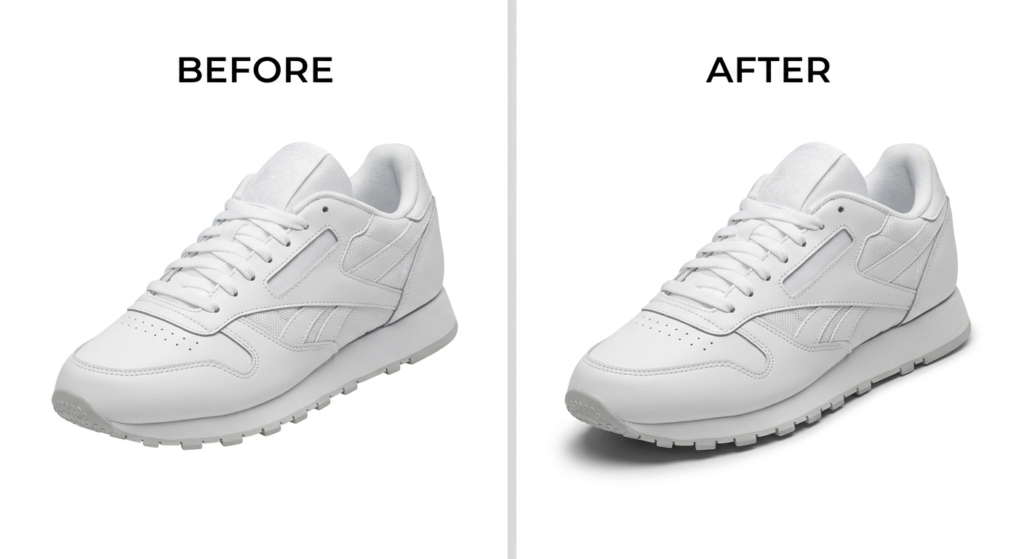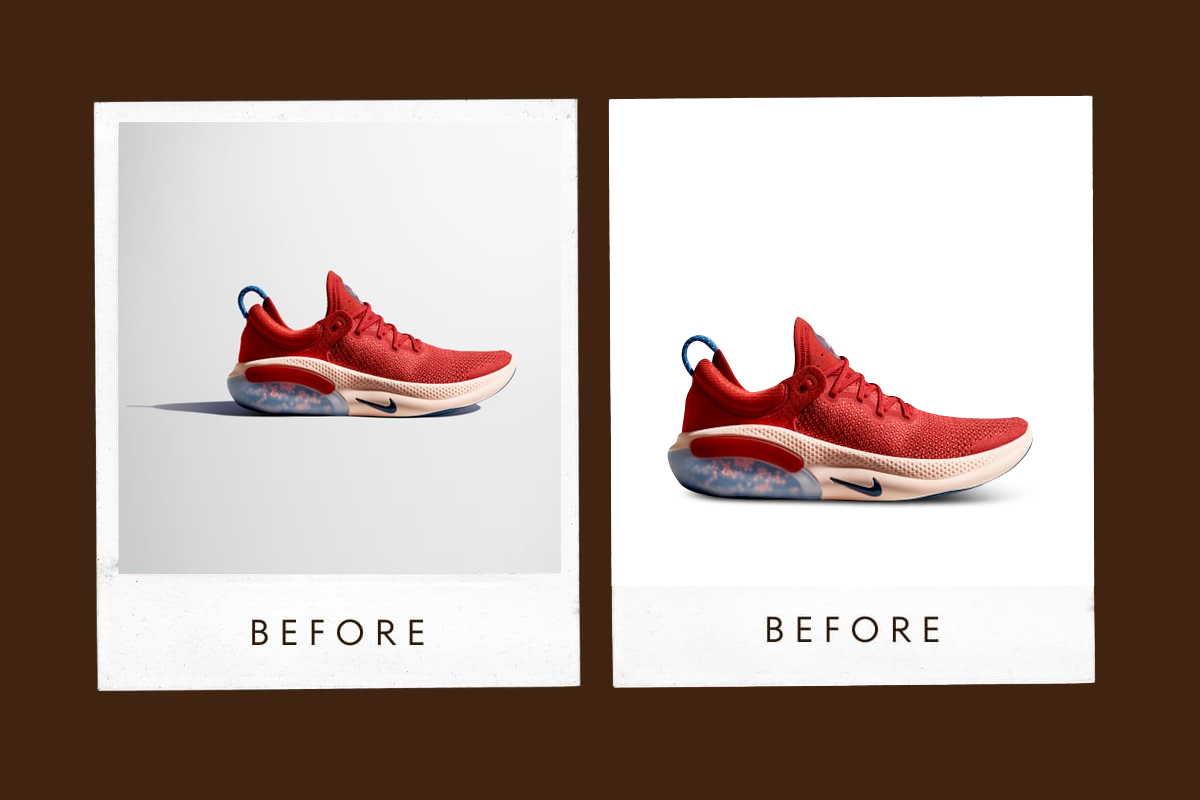

If you sell online, you already know that a shadow can make or break a product photo. A clean, realistic shadow grounds the product, adds depth, and makes a listing feel trustworthy. A flat or missing shadow does the opposite it makes even a great photo look like a cheap cutout.
The question most sellers eventually run into isn’t whether to add shadows. It’s how: build them yourself in Photoshop, or outsource the work to a professional shadow editing service.
Here’s how to think about it.
Doing It Yourself in Photoshop
Photoshop gives you full control. You choose the light direction, the softness of the blur, the opacity, the exact shape of the shadow beneath a bag, a bottle, or a pair of shoes. For a one-off hero image or a small seasonal campaign, that control is genuinely valuable — nobody knows your product’s angles better than you do.
Photoshop tends to make sense when you:
- Are editing a small batch a handful of images, not hundreds.
- Want a very specific creative look for an ad or campaign shot.
- Already have someone on the team who’s comfortable with layer masks, gradients, and blend modes.
- Have the time to spend 10–20 minutes per image getting the shadow right.
For sellers just starting out, or for a single flagship product shoot, this is a perfectly reasonable way to work.
Where It Gets Harder
The catch is that shadow editing doesn’t scale the way most sellers expect.
A shadow that looks convincing on one product photo has to be re-built, by hand, on the next one and the one after that. Light direction, blur radius and opacity all need to shift slightly depending on the product’s shape and the surface it’s sitting on. Skip that step and the shadow looks pasted on.
Multiply that by a catalogue of 300, 1,000, or 5,000 SKUs which is completely normal for sellers on Amazon, eBay, Bol.com, Zalando, or a Shopify store targeting the UK, Netherlands, Ireland or Denmark and shadow creation stops being a quick finishing touch. It becomes one of the slowest parts of the entire production pipeline.
There’s a second, quieter problem: consistency. If shadows are built by different people across different batches, small differences creep in one product sits under a slightly darker shadow, another has a softer blur, a third looks lit from a different angle entirely. Shoppers may not consciously notice any single image, but they do notice when a catalogue feels visually inconsistent. That inconsistency chips away at how professional — and how trustworthy a storefront feels.
When Outsourcing Makes More Sense
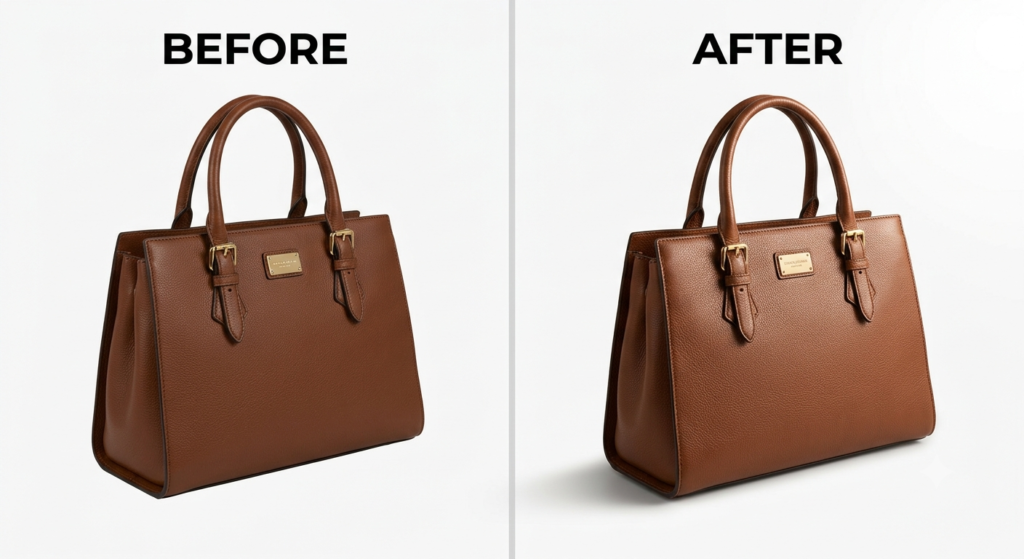
Handing shadow editing to a professional team isn’t about admitting Photoshop can’t do the job. It’s about recognising that manually building hundreds of shadows is a production task, not a creative one and production tasks are exactly what a specialised editing workflow is built to handle efficiently.
Outsourcing tends to pay off for:
- eCommerce brands with large or fast-growing catalogues.
- Fashion, apparel and footwear sellers who need consistent, realistic ground shadows across every listing.
- Furniture and homeware brands, where shadow and perspective errors are especially visible.
- Marketplace sellers on Amazon, eBay, Bol.com and Zalando who are held to strict image guidelines.
- Agencies managing photo production for multiple clients at once.
Photoshop vs. Professional Shadow Editing, Side by Side
| Photoshop (DIY) | Professional Shadow Editing | |
|---|---|---|
| Best for | Small batches, hero shots | High-volume catalogues |
| Creative control | Full, hands-on | Guided by your brand brief |
| Consistency across images | Depends on the editor | Built in, by design |
| Turnaround at scale | Slow, linear with volume | Fast, built for bulk |
| Skill required | Photoshop proficiency | None you just send the photos |
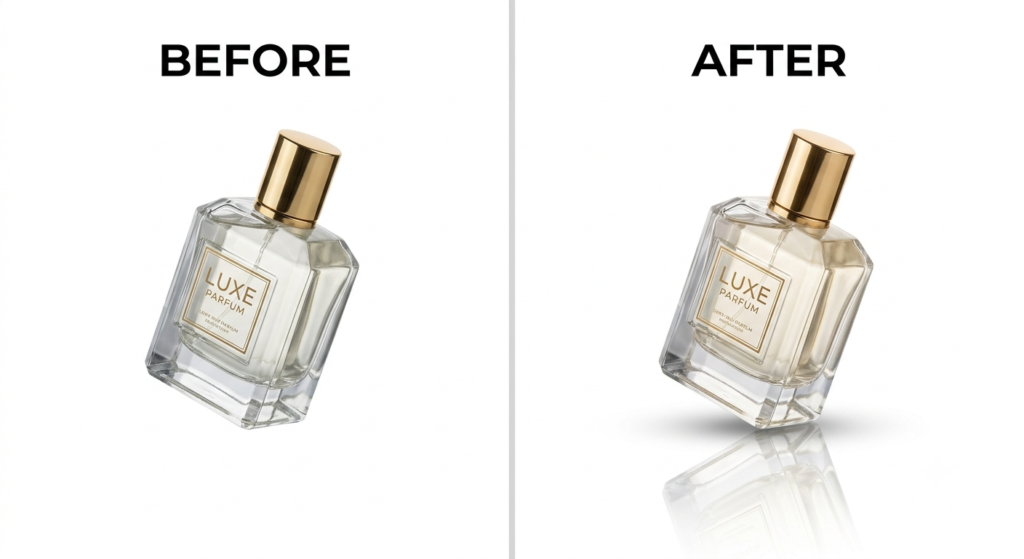
How Lume Retouch Approaches This Differently
At Lume Retouch, we didn’t want shadow editing to be either “fully manual” or “fully automated” both extremes have obvious weaknesses. Pure automation misses the small adjustments a specific product needs; pure manual work doesn’t scale to a growing catalogue without cost or quality slipping.
So we run a hybrid AI-plus-human workflow: AI handles the repetitive groundwork isolating the product, drafting the base shadow and a trained editor then refines light direction, blur and opacity by hand so the shadow actually matches how the product was photographed. You get the consistency of an automated pipeline with the judgment of a human editor checking every image before it’s delivered.
This is exactly the kind of complex, judgment-heavy editing task shadow creation, ghost mannequin work, bulk batch consistency, brand-specific colour matching that a five-minute AI filter still can’t fully replace.
Which Should You Choose?
If you’re editing a handful of images and enjoy the process, Photoshop is still an excellent tool use it, especially for hero shots and campaign imagery where full creative control matters most.
But if you’re managing a growing catalogue, launching new products regularly, or selling across multiple European marketplaces where consistent, professional imagery directly affects conversion, manually building every shadow stops being the best use of your time.
Many of the sellers we work with do both: Photoshop for the occasional standout campaign shot, and a dedicated editing service for the bulk of the catalogue. That combination tends to give the best balance of creative control and consistent, scalable output.
Want your catalogue’s shadows handled without the manual back-and-forth? See Lume Retouch’s shadow and retouching services, or check out our editing gigs on Fiverr to get a quote on your next batch.