
Quick Overview
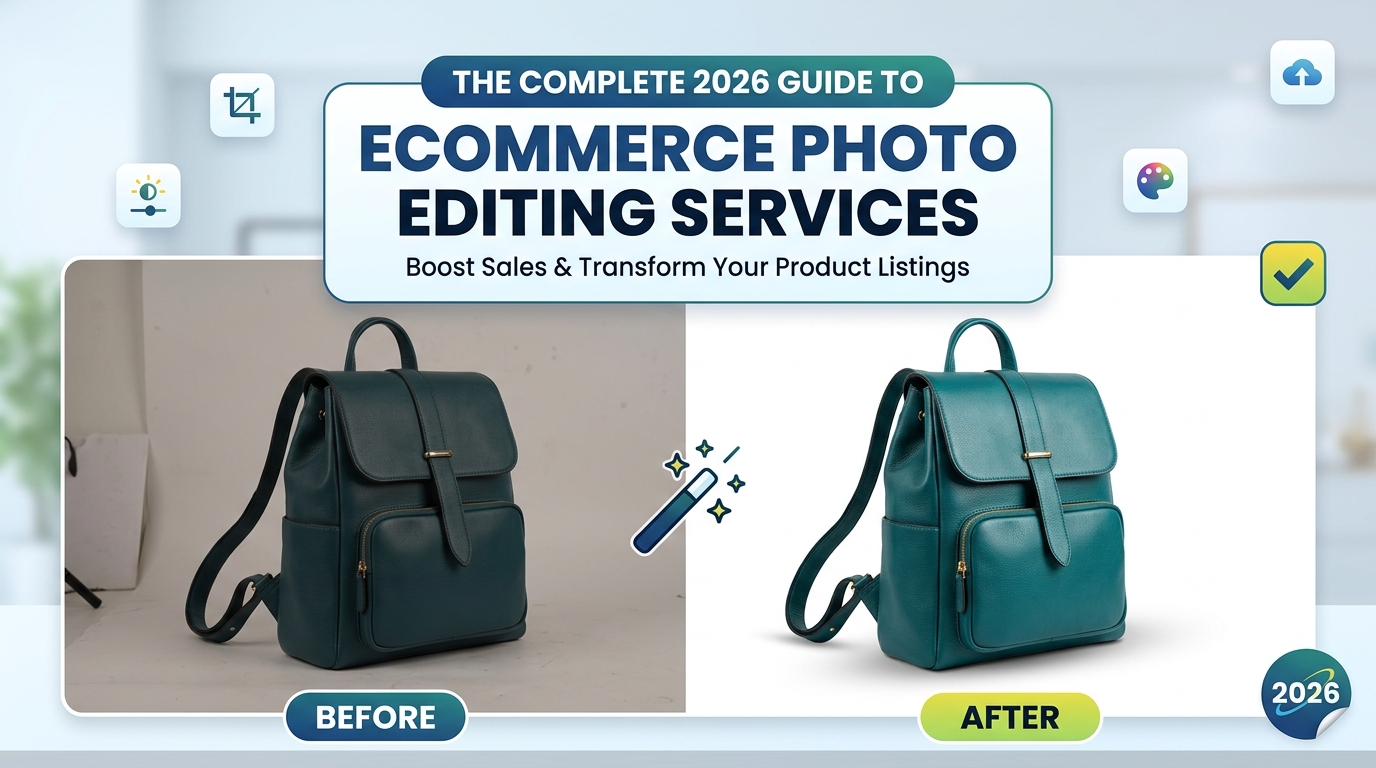
An Online Photo Editing Service for eCommerce improves raw product photos before you publish them online.
It helps you create accurate colours, clean backgrounds, consistent crops, and realistic product details.
Professional editing saves time when you manage frequent uploads or a large product catalogue.
A Manual + AI workflow combines editing speed with careful human quality control.
This guide explains the services, benefits, costs, and selection process for European eCommerce brands.
Online customers cannot touch your products, inspect the finish, or compare the material in person. They use your images to decide whether an item looks suitable, trustworthy, and worth buying.
Poor lighting, inconsistent backgrounds, incorrect colours, and rough cutouts can weaken an otherwise strong product listing. Professional editing solves these problems without changing the genuine identity of your item.
When you choose the right Online Photo Editing Service for eCommerce, you receive polished files for your website, product catalogue, marketplace listings, digital advertisements, email campaigns, and social media.
At Lume Retouch, we use a Manual + AI hybrid workflow. AI helps us complete suitable repetitive tasks efficiently, while our retouchers protect your product’s shape, colour, texture, label, logo, and small details.
What Is an Online Photo Editing Service for eCommerce?
An Online Photo Editing Service for eCommerce improves your product photographs remotely. You upload your files, provide instructions, approve the editing style, and receive completed images in your preferred format.
You do not need to visit a physical studio. You can send your files through a website, email, Google Drive, Dropbox, or WeTransfer.
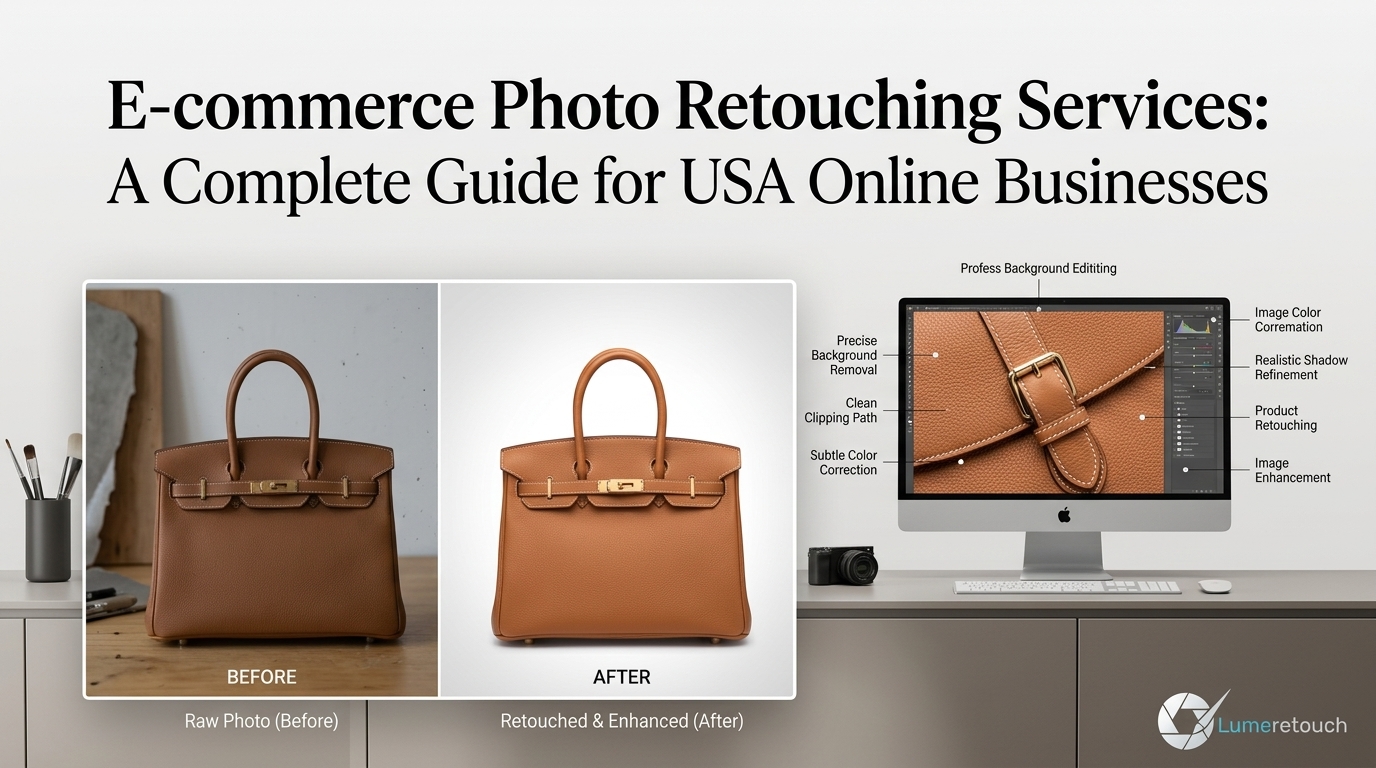
A complete eCommerce Product Photo Editing Service may include background removal, clipping paths, image masking, colour correction, product cleanup, natural shadows, ghost mannequin editing, jewellery retouching, cropping, resizing, and file optimisation.
The goal is not to make your product look unrealistic. Professional editing should show the real item clearly, accurately, and consistently.
Why Do European eCommerce Brands Need Professional Editing?
European online retailers often sell through several channels at the same time. You may run your own website while also listing products on Amazon, Shopify, Etsy, eBay, Google Shopping, or social commerce platforms.
Each channel may display your images differently. Your main image must still remain clear when it appears as a small mobile thumbnail, a category-page preview, a paid advertisement, or a detailed product-page image.
Professional editing helps you:
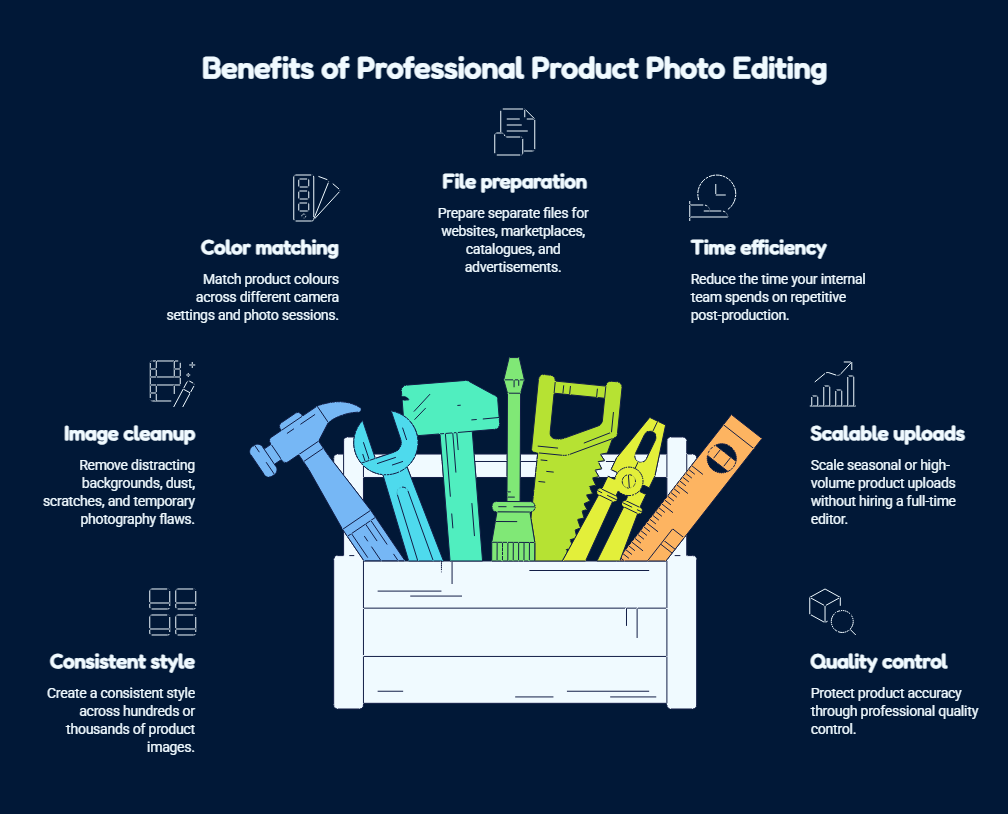
- Create a consistent style across hundreds or thousands of product images.
- Remove distracting backgrounds, dust, scratches, and temporary photography flaws.
- Match product colours across different camera settings and photo sessions.
- Prepare separate files for websites, marketplaces, catalogues, and advertisements.
- Reduce the time your internal team spends on repetitive post-production.
- Scale seasonal or high-volume product uploads without hiring a full-time editor.
- Protect product accuracy through professional quality control.
An experienced Product Photo Editing Service Europe provider should also understand that one visual style will not suit every brand. Your images must match your product category, audience, price position, and sales channel.
Which Services Does Your eCommerce Store Need?
The right service depends on your original photograph and intended use.
| Editing service | What it improves | Best suited for |
| Background removal | Removes distractions and creates a clean setting | Amazon, Shopify, Etsy and eBay listings |
| Clipping path | Produces an accurate, reusable product cutout | Shoes, furniture, electronics and packaging |
| Image masking | Protects soft, transparent and complex edges | Hair, fur, glass, lace and fine fabrics |
| Colour correction | Improves colour accuracy and batch consistency | Fashion, cosmetics, furniture and homeware |
| Product retouching | Removes dust, scratches and temporary marks | All eCommerce product categories |
| Shadow creation | Gives products realistic depth and grounding | Footwear, handbags, electronics and bottles |
| Ghost mannequin | Creates a clean, hollow apparel shape | Fashion brands and clothing retailers |
| Jewellery retouching | Controls shine, reflections and fine details | Jewellery, watches and luxury products |
| Image resizing | Prepares correct dimensions for each platform | Websites, marketplaces, ads and catalogues |
| File optimisation | Balances image quality and file size | Mobile stores and fast-loading product pages |
How Does Background Removal Improve Product Listings?
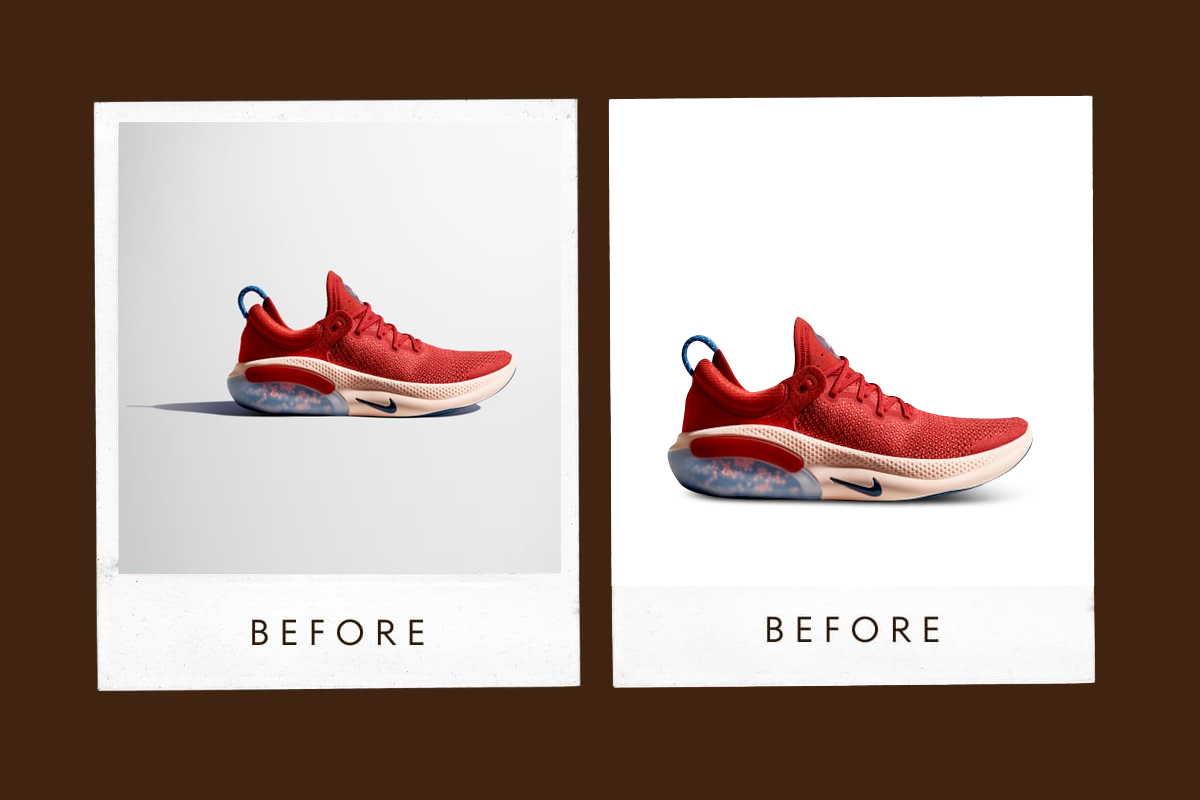
Background Removal for eCommerce separates your product from an unsuitable or distracting setting.
Your original photograph may include uneven walls, visible equipment, damaged studio paper, unwanted props, floor lines, colour casts, or harsh shadows. Removing these elements helps your customer focus on the item.
You can place the finished product on:
- A pure white background for selected marketplaces
- A transparent background for flexible design use
- A branded colour for category pages
- A lifestyle scene for advertisements
- A custom background for seasonal campaigns
Google Merchant Center recommends a solid white or transparent background for standard product imagery because these backgrounds work with different design elements.
A professional editor should also protect the original shadow when it adds useful depth. Removing every shadow can make an item appear as though it floats.
When Do You Need a Clipping Path?
A Clipping Path Service for eCommerce works best when your product has firm, smooth, and clearly defined edges.
An editor draws a path around the item with controlled anchor points. This method suits shoes, furniture, phones, bottles, boxes, handbags, watches, tools, and packaged goods.
A hand-drawn path gives you a reusable cutout. Your designer can place the same product on different backgrounds without isolating it again.
You may also need separate paths for individual product areas. For example, an editor can isolate the leather, handle, hardware, and logo of a handbag. You can then adjust one section without changing the others.
A clipping path does not work well for every image. Hair, fur, feathers, transparent glass, lace, and soft fabric fibres usually need advanced masking.
How Does Colour Correction Protect Customer Trust?
Product colours may change during photography because of lighting, camera settings, reflections, surrounding surfaces, or incorrect white balance.
Professional colour correction improves exposure, tone, saturation, contrast, and consistency. It should not make a product brighter or more colourful than the real item simply to attract attention.
This service matters when you sell clothing, cosmetics, jewellery, furniture, home décor, or products with several colour variations.
From our experience, approved reference images make bulk colour matching more accurate. When exact colour matters, send your editor a reference photo, colour code, sample image, or clear instruction.
Your customer should receive an item that looks like the photograph they viewed online.
Why Do Product Shadows Matter?
A cutout product on a plain background may appear flat or disconnected from the surface.
A Product Shadow Creation Service adds depth and helps the item look naturally placed. Depending on your brand, you may need a soft contact shadow, a studio-style shadow, a subtle drop shadow, or a controlled reflection.
The editor must match the direction, softness, distance, opacity, and shape of the shadow to the original lighting.
For example, a cosmetic bottle may need a subtle reflection, while a sofa may need a stronger grounding shadow. Applying the same effect to both products would create an unnatural result.
What Is White Background Product Editing?
White Background Product Editing places your item on a clean white canvas while preserving accurate edges, natural proportions, and important details.
Amazon requires main product images to use a pure white background with RGB values of 255, 255, 255.
However, creating an effective white-background image involves more than filling the canvas with white. Your editor may also need to:
- Remove colour contamination around the edges
- Preserve handles, holes, gaps, and transparent areas
- Correct exposure and product colour
- Align the item within the canvas
- Add a realistic contact shadow
- Export the correct dimensions and file type
A rushed automatic cutout may leave grey borders, white halos, jagged curves, or missing product sections.
How Do Shopify and Amazon Image Editing Differ?
A Shopify Product Photo Editing Service should focus on your brand presentation, catalogue consistency, theme layout, mobile display, and page speed.
Shopify supports several product image formats and identifies PNG and JPEG as common options. It also supports formats such as PSD, TIFF, HEIC, and WebP in its product-media system.
Your Shopify store gives you more creative control. You can use white-background images, lifestyle photos, close-ups, branded scenes, and supporting graphics according to your theme.
An Amazon Product Image Editing Service Europe must place greater emphasis on Amazon’s listing rules, pure-white main images, accurate product representation, and clean marketplace formatting.
You should prepare separate export versions when you sell the same item through Amazon and your own online store.
What Makes Images Marketplace-Ready?
Marketplace-Ready Product Images follow the visual and technical needs of the platform where you plan to sell.
A strong finished image should have:
- Accurate product colours and proportions
- Clean, natural edges
- Correct background treatment
- Consistent product scale and margins
- Suitable dimensions and crop
- Clear details for mobile users
- A platform-compatible format
- Controlled shadows and reflections
- No accidental dust, marks, or editing errors
Do not use one export blindly across every channel. Your marketplace, website, catalogue, and social advertisement may require different crops, formats, backgrounds, or layouts.
How Does Professional Editing Support Bulk Catalogues?
A Bulk Product Photo Editing Service helps you process a large number of images under one controlled visual standard.
Bulk work does not mean applying one automatic preset to every file. Your editing partner should establish clear rules for the background, product scale, canvas size, crop, colour, shadow, naming, and output format.
In our experience, a small sample batch prevents large corrections later. Before you send thousands of images, approve several examples that represent different product types and levels of complexity.
Lume Retouch offers discounts of up to 40% for qualifying bulk projects. This structure helps solopreneurs, SMEs, agencies, and growing online stores control editing costs as their catalogues expand.
Should You Use AI for eCommerce Photo Editing?
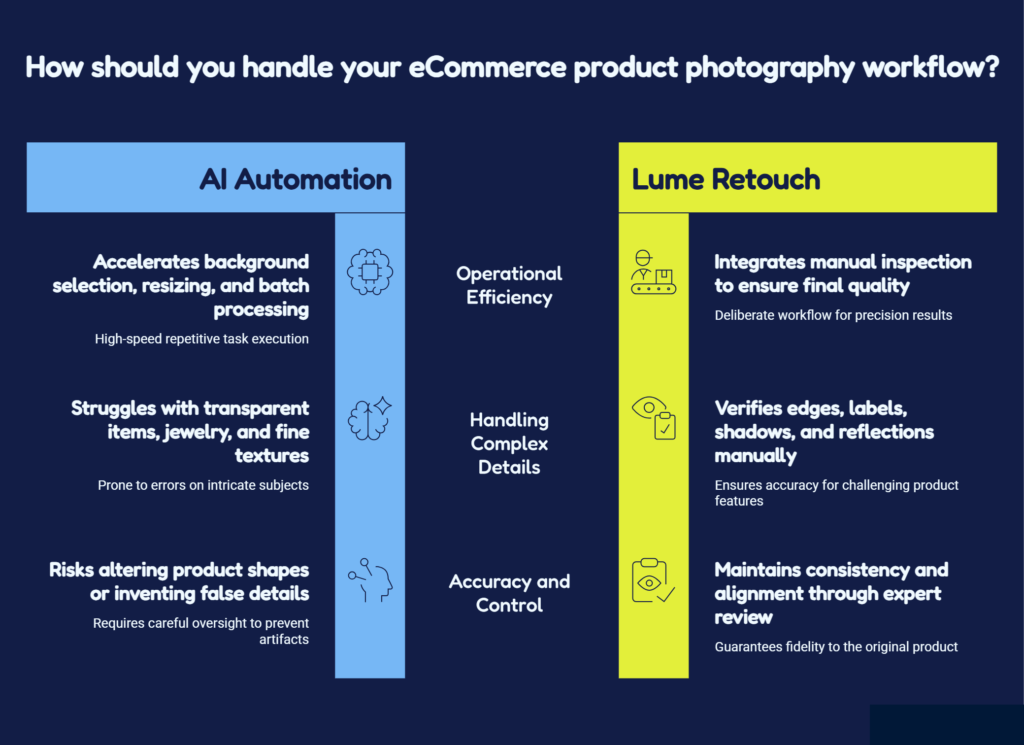
AI can speed up background selection, simple object removal, resizing, basic exposure correction, and repetitive batch tasks.
However, AI may struggle with transparent products, jewellery, soft shadows, printed labels, fine chains, lace, hair, fur, reflections, and subtle colour differences.
It can also change a product’s shape or invent details when you use generative tools without careful control.
We recommend a hybrid approach. AI should support the workflow, while an experienced editor reviews the final image.
Lume Retouch combines AI efficiency with manual inspection. Our team checks edges, colours, labels, shadows, textures, reflections, alignment, and consistency before delivery.
How Do You Choose a Professional Editing Company?
The best eCommerce Photo Editing Services Europe provider should understand both image quality and commercial workflow.
Before choosing a company, check:
- Editing method: Ask whether the team uses manual paths, masking, AI, or a controlled combination.
- Relevant portfolio: Review work for products similar to yours.
- Quality control: Confirm that someone checks completed files before delivery.
- Bulk capacity: Make sure the provider can maintain quality as your image volume grows.
- Turnaround time: Choose a company that can support product launches and seasonal campaigns.
- Revision policy: Understand whether changes will create additional costs.
- File support: Check whether the team accepts your original camera and design formats.
- Communication: Look for clear instructions, custom quotes, and responsive project support.
A reliable Professional eCommerce Image Editing partner should ask about your brand style, platform, intended use, product category, and deadline before starting the project.
How Much Does eCommerce Photo Editing Cost?
The price depends on the quantity, edge complexity, required service, delivery speed, and final format.
A simple box with clear edges requires less work than a transparent perfume bottle, a detailed jewellery chain, or a fashion image with loose hair and lace.
Instead of choosing only by the lowest price, compare the complete value:
- Does the quote include quality control?
- Will the company maintain batch consistency?
- Can you request revisions?
- Does the team protect colours, labels, and logos?
- Can the provider meet your deadline?
Lume Retouch reviews each project and provides a custom quote. Large-volume orders may receive discounts of up to 40%.
Who Can Use Lume Retouch?
Lume Retouch supports photographers, online sellers, fashion retailers, jewellery brands, real estate agencies, studios, marketing teams, and creative businesses.
Our primary service area covers Europe, including:
- Western Europe: the UK, Germany, France, the Netherlands, Belgium, Switzerland, Austria, Ireland, and Luxembourg
- Northern Europe: Denmark, Norway, Sweden, Finland, and Iceland
- Southern Europe: Italy, Spain, Portugal, Greece, Croatia, and Malta
- Eastern Europe: Poland, the Czech Republic, Hungary, Romania, Bulgaria, and Slovakia
We also serve clients in the USA, Canada, Australia, and the UAE.
Whether you manage a small Shopify store or a large multi-country catalogue, we adapt the editing process to your brand, product category, and workload.
How Does the Lume Retouch Process Work?
How do you request a quote?
You send your image quantity, required services, reference examples, deadline, and preferred file type. We review the project and prepare a custom quote.
How do you upload your files?
You can use the website, email, Google Drive, Dropbox, or WeTransfer. We accept JPG, PNG, PSD, TIFF, and RAW files.
How do we edit your images?
Our editors combine manual skills with carefully selected AI tools. We choose the method according to your product edges, materials, background, and required result.
How do we check the work?
We inspect colours, edges, shadows, labels, product details, alignment, backgrounds, and batch consistency.
When will you receive the images?
We normally deliver projects within 12–48 hours. The exact time depends on the order size and editing complexity.
What happens when you need a change?
You receive unlimited revisions at no extra revision cost until the completed files meet the agreed requirements.
Why Choose Lume Retouch?
Lume Retouch gives you a practical combination of speed, accuracy, flexibility, and personal support.
You receive:
- A Manual + AI hybrid workflow
- A standard 12–48-hour turnaround
- Unlimited revisions
- Up to 40% discount on qualifying bulk orders
- Support for JPG, PNG, PSD, TIFF, and RAW files
- Personalised editing for your brand
- Internal quality control
- Small-order and high-volume support
We do not force every image into the same automatic preset. We review your product and choose the method that protects its original appearance.
Frequently Asked Questions
What is an online photo editing service for eCommerce?
It is a remote post-production service that improves product photos through background removal, retouching, colour correction, masking, shadows, resizing, and marketplace preparation.
How much does eCommerce product photo editing cost?
The cost depends on image quantity, complexity, service type, output format, and deadline. Lume Retouch provides custom quotes and qualifying bulk discounts.
How long does professional product photo editing take?
Lume Retouch usually delivers completed orders within 12–48 hours. Large or complex projects may need a customised schedule.
Can AI edit product images without human help?
AI can complete basic tasks, but human review remains important for accurate colours, complex edges, jewellery, glass, shadows, labels, and branding.
Should you outsource eCommerce photo editing?
Outsourcing makes sense when you need fast delivery, specialist skills, catalogue consistency, or scalable support without hiring a full-time editing team.
Final Answer: Do You Need an Online Photo Editing Service for eCommerce?
You need an Online Photo Editing Service for eCommerce when raw or inconsistent images slow down your product launches, weaken your listings, or take too much time to edit internally.
Professional editing gives you cleaner backgrounds, accurate colours, realistic shadows, consistent layouts, and files prepared for each sales channel.
The right partner should protect your product’s real appearance while helping you process small projects and large catalogues efficiently.
Get Professional eCommerce Photo Editing
Lume Retouch provides background removal, clipping paths, image masking, colour correction, product retouching, shadow creation, ghost mannequin editing, jewellery retouching, and bulk catalogue support.
Company: Lume Retouch
Website: https://lumeretouch.com/
Service Area: Europe, USA, Canada, Australia, and the UAE
Turnaround Time: 12–48 hours
Revisions: Unlimited
Bulk Discount: Up to 40%
Supported Formats: JPG, PNG, PSD, TIFF, and RAW
Email: contact@lumeretouch.com
Phone or WhatsApp: +8801609045290
Contact Lume Retouch through the official website or contact form to request a free consultation and custom quote.